Luxar Documentation
Welcome to Luxar’s documentation! Luxar is a high-performance system for compiling and visualizing arbitrary-sized n-dimensional scenes containing points, lines, Gaussian splats, and triangle meshes. Luxar delivers visualization performance limited only by your graphics card, display resolution, and network bandwidth—not by software constraints.
See it running before you install anything
demos.luxarviewer.dev hosts 88 of the bundled demos as live, interactive scenes — real compiled archives streamed from object storage, not videos.
The viewer is also deployed on its own at luxarviewer.dev and takes any reachable scene as a URL parameter, so you can point it at your own compiled archive:
https://luxarviewer.dev/?src=https://example.org/path/to/scene.luxar.zarr
The host serving that URL needs to allow cross-origin reads. See Demo Site Runbook for how the demo corpus itself is hosted.
Quick Start
Installation
pip install luxar
# or for development:
git clone https://github.com/royerlab/luxar.git
cd luxar
make setup-dev
hatch shell
Basic Usage
Create and visualize a scene with points:
from luxar.core import Dimensions
from luxar.io import LuxarZarrCompiler
import numpy as np

# Create data
positions = np.random.randn(1000, 3).astype(np.float32)
colors = np.random.rand(1000, 3).astype(np.float32)
dims = Dimensions.default_3d()

# Write to zarr
with LuxarZarrCompiler('scene.luxar.zarr') as compiler:
    scene = compiler.create_scene(dimensions=dims)
    scene.add_points('cloud', positions, colors, radii=0.1)

# Serve with viewer
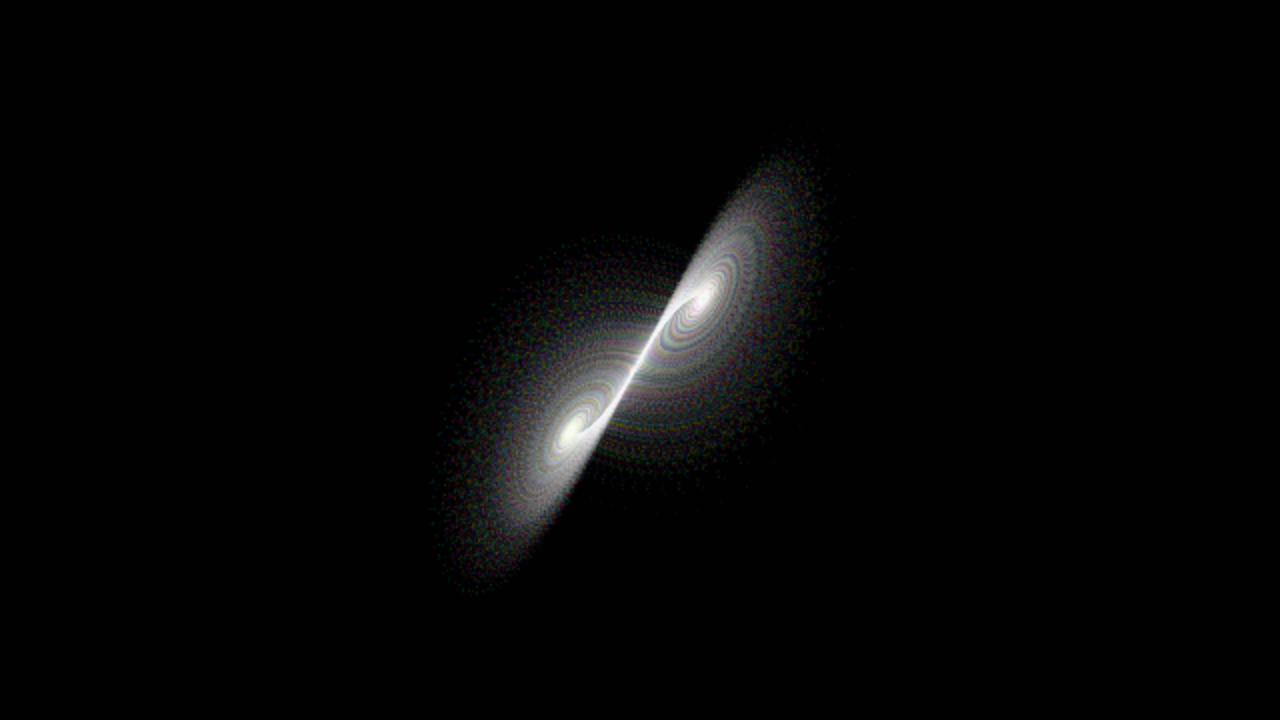
# Terminal: luxar serve scene.luxar.zarr --viewer
Features
nD Visualization: Handle arbitrary-dimensional data with interactive slicing
Four Geometry Types: Points (soft-edged spheres), Lines (width-tapered curves), Gaussian Splats (oriented Gaussians), and Mesh (shaded triangle surfaces)
Performance: 100K-10M points at 60 FPS with WebGL rendering
Compression: 4-40x data compression with lossy/lossless options
Streaming: Memory-efficient lazy loading with intelligent caching
Spatial Indexing: Morton/Hilbert ordering for efficient queries
Gaussian Splatting: Fit splats to volumes for compression, denoising, and visualization
Concepts & Architecture:
Tutorials:
- Tutorial 1: Creating Your First Scene
- Tutorial 2: nD Navigation and Hypersphere Slicing
- Programmatic Server Creation
- Gaussian Splatting for Images
- What is Gaussian Splatting?
- When to Use Gaussian Splats
- Basic Gaussian Splat Fitting
- Understanding Seed Generation Methods
- Optimization Parameters
- Advanced: Dynamic Operations
- Saving and Visualizing Results
- Quality vs Compression Tradeoff
- Calibrating K via Blind-Spot Cross-Validation
- Building Streaming LOD Ladders
- Summary
- Tutorial 4: Performance Optimization
- Performance Fundamentals
- Optimization 1: Chunk Size Selection
- Optimization 2: Spatial Ordering Strategy
- Optimization 3: Encoding Mode Selection
- Optimization 4: Prefetching Configuration
- Optimization 5: Viewer Configuration
- Billion-Point Dataset Strategy
- Monitoring Performance
- Profiling Tools
- Best Practices Summary
- Expected Performance
- Common Issues and Solutions
- Advanced: Custom Culling
- Summary
- Distributing Scenes
User Guides:
Command-Line Interface:
Format Specifications:
- Luxar Zarr Format Specification
- Version: 0.2
- Overview
- End-to-End Data Flow
- Format Structure
- Scene-Level Attributes
- Node Types
- Scalar Colormap Attributes
- Environment (baked scene lighting)
- Chunk Packs (
chunk_packs/sidecar) - Layers (Viewer Panel)
- Overlays (Screen-Space Annotations)
- Point Spatial Index
- Transform System
- nD Transform System
- Dimension System
- Viewer Constraints and Performance
- Chunking Strategy
- Array Encodings
- Compression
- Metadata Consolidation
- Version History
- Best Practices
- Example Creation (Python)
- Compatibility Notes
- Future Extensions (Planned)
- luxar.gsplats.io - Technical Specification
- Purpose
- Use Cases
- Core Data Structure
- Format Versions
- Zarr Structure (v3.x — node tree)
- Spatial Ordering and Indexing
- Splat Ordering for Compression
- Additional Compression Techniques
- Compression Configuration
- Encoding Metadata Preservation
- API Design
- Standalone vs Embedded Formats
- Luxar Scene Integration
- Design Decisions
- References
- Changelog
- Mesh Node Specification
- 1. Motivation
- 2. Where mesh is symmetric, and where it is not
- 3. Data model
- 4. Python API
- 5. nD semantics: per-vertex slab test, whole-triangle cull
- 6. Rendering
- 7. Loading
- 8. Integration checklist
- 9. Explicitly out of scope
- 10. Architecture: what the consolidation changed for mesh
- 11. Phased delivery
- Formats & Migration
- Compatibility & Deprecation Policy
Technical Specifications:
- nD Transforms Specification
- 1. Motivation
- 2. Design Principles
- 3. Dimension Domains
- 4. Transform Definitions
- 5. Storage Format
- 6. Python API
- 7. Hierarchical Composition
- 8. Bounds Expansion
- 9. Viewer Implementation (TypeScript) — Inverse-Query Approach
- 10. Performance Analysis
- 11. Edge Cases
- 12. Backward Compatibility
- 13. Future Extensions
- Cache Prefetching Specification
- GSplat Depth Sorting — Phased Implementation Plan (Option 3a)
- 1. Problem statement (facts on the ground)
- 2. Target architecture
- 3. Phase 0 — Correct alpha for
normalmode (prerequisite) - 4. Phase 1 — Texture-backed splat storage + always-on ordering attribute
- 5. Phase 2 — SortWorker + depth-ordered commits
- 6. Phase 3 — Camera-triggered re-sort
- 7. Phase 4 (optional, perf) — Partial texture uploads
- 8. Explicit deferrals
- 9. Sequencing, sizing, and ship gates
- 10. Risk register (ranked; what is actually hard about this)
- 11. Adversarial re-check changelogs (all findings applied above)
- Volumetric Blending Mode — Emission–Absorption Compositing
- Sub-Pixel Jitter for Temporal Anti-Aliasing (TAA)
- Layer Order — Authored Cross-Layer Draw Order
- 1. What exists today — and why overlapping layers already look stable
- 2. The mechanism: depth bands
- 3. Pinned decisions
- 4. Why this is cheap
- 5. Interaction with BSP part order
- 6. Authoring surface (Python)
- 7. Viewer surface
- 8. What this does NOT fix
- 9. Phases
- 10. Testing and ship gates
- 11. Risks
- 12. Open questions
- 13. References
- Remote Control Spec — driving a Luxar viewer from an external program
- Mesh Physical Materials Spec — glass, metal and iridescence on Luxar meshes
- Sound Spec — ambient and spatial audio as scene-graph nodes
- Gaussian Splats Dimension Mapping
- LuxarLayer Embed Contract
Developer Guides:
- Build System Specification
- Documentation Quality Gate
- TypeScript Testing Guidelines - Luxar Viewer
- Playwright Testing & AI-Assisted Debugging Guide
- Luxar E2E Testing - Quick Reference Guide
- 🎯 Console Output Capture - YES, It Works!
- 🔗 Data Source URL Format
- 🧪 Test Suite Organization
- 🚀 Common Test Commands
- 📋 Pre-Test Checklist
- 🔍 Debugging Failed Tests
- 🎓 Writing New E2E Tests
- 🐛 Common Issues & Solutions
- 📊 Performance Baselines
- 🎯 Test Coverage Checklist
- 🔬 Advanced Testing Techniques
- 🎉 Summary
- JSDoc Style Guide for Luxar Viewer
- Console Output Style Guide
- Luxar Viewer UI Design Guide
- 1. Design philosophy — the “quiet instrument”
- 2. Where the truth lives
- 3. Design tokens
- 4. The four themes
- 5. The glass-surface system
- 6. Color semantics — the rules
- 7. Surfaces
- 8. Typography
- 9. Iconography
- 10. Motion
- 11. Layout & placement
- 12. Interaction states & accessibility
- 13. Naming & file conventions
- 14. Checklist for a new UI surface
- 15. Known drift (documented debt — do not copy)
- 16. Keeping this guide authoritative
- Network Simulation for Luxar CLI - Technical Specification
- Error Handling Guide for Luxar
- Debug Interface Guide
- Intensity, Offset, and Gamma — Design Document
- Demo Site Runbook
- Why the manuscript benchmarks pin
--floor none - Luxar Viewer Performance Audit (2026-09-04)
- Render gate: exactness and performance, build against build
Python API Reference:
- Core Package
- Control Package
- Environment Package
- Mesh Package
- Shading Package
- I/O Package
- Overview
- LuxarZarrCompiler
- LuxarScene
- Spatial Ordering
morton_encode_nd()morton_encode_128bit()hilbert_encode_nd()normalize_coords_to_grid()compute_auto_resolution()detect_barrier_dims()sort_points_compound()sort_splats_spatial()compute_chunk_bounds_points()compute_chunk_bounds_gsplats()convert_to_indexed()sort_segments_compound()order_lines_spatial()compute_vertex_chunk_bounds()compute_segment_chunk_bounds()- Morton and Hilbert Curves
- Writer Protocol
- Volume Loading
- OME-Zarr Discovery
- Chunk-Layout Optimization
- Encoding Package
- Validation Package
ValidationErrorDimensionalCoverageErrorvalidate_cholesky_for_writing()validate_colors_for_writing()validate_labels_for_writing()validate_node_name()validate_positions_for_writing()validate_radii_for_writing()validate_sharpness_for_writing()validate_widths_for_writing()validate_zarr_attributes()validate_positions()validate_colors()validate_radii()validate_sharpness()validate_transform()validate_node_type()validate_physical_unit()validate_opacity()validate_truncation_radius()validate_gamma()validate_absorption()validate_blending_mode()validate_layer_order()validate_line_join()validate_categories()validate_category_indices()is_position_array()is_color_array()is_transform_matrix()broadcast_to_all_slices()validate_dimensional_coverage()- Type Validation
validate_positions()validate_colors()validate_radii()validate_sharpness()validate_transform()validate_node_type()validate_physical_unit()validate_opacity()validate_appearance_fraction()validate_positive_finite()TEXTURE_FILTERSTEXTURE_WRAPSTEXTURE_COLOR_SPACESvalidate_texture_filter()validate_texture_wrap()validate_texture_color_space()MESH_MATERIALSPHYSICAL_MATERIAL_FRACTION_ATTRSPHYSICAL_TRANSMISSION_ATTRSPHYSICAL_TRANSMISSION_DEPENDENT_ATTRSPHYSICAL_MATERIAL_ATTRSIOR_MINHOUSE_SHADER_ONLY_ATTRSvalidate_mesh_material()validate_ior()validate_non_negative_finite()validate_hex_color()validate_absorption()MIN_TRUNCATION_RADIUS_FLOAT32MAX_TRUNCATION_RADIUS_FLOAT32validate_truncation_radius()validate_gamma()validate_intensity()validate_offset()validate_display_gain()validate_amplitude_unit()validate_amplitude_offset()validate_source_data_range()validate_layer()validate_bool_flag()validate_link()validate_copy_template()validate_link_target()validate_visible()validate_blending_mode()validate_layer_order()validate_line_join()validate_colormap()validate_finite_reveal_coords()validate_integral_axis_indices()is_position_array()is_color_array()is_transform_matrix()validate_category_indices()
- Write Validation
ValidationErrorvalidate_node_name()validate_labels_for_writing()validate_color_dtype()validate_positions_for_writing()validate_colors_for_writing()validate_radii_for_writing()validate_widths_for_writing()validate_cholesky_for_writing()validate_sharpness_for_writing()validate_vertices_for_writing()mesh_decoded_value_count()validate_mesh_ladder_decode_budget()validate_mesh_decode_budget()validate_faces_for_writing()validate_normals_for_writing()validate_normal_dims_for_writing()TEXTURE_ENCODINGSMAX_MESH_TEXTURE_SIZEMESH_TEXTURE_DECODE_BUDGET_BYTESvalidate_uvs_for_writing()validate_texture_for_writing()validate_zarr_attributes()
- nD Validation
- Category Validation
- Demos Package
BundleMemberNotFoundDatasetNotFoundDatasetUnavailableDependencySpecDependencyStatusLocalComputeDatasetMissingDependencyErrorResolvedDatasetadd_demo_caption()add_reference_cube_to_scene()add_serve_arguments()cache_computed()cached_download()create_lorenz_attractor()create_random_spheres()create_time_series_demo()cubic_bounds()dataset_spec()declared_file_names()demo_source_fingerprint()detect_device()download_with_checksum()download_zip_member()ensure_dataset()extras_for()find_quarantined_files()format_demo_caption()format_quarantine_notice()hsv_to_rgb()is_installed()is_lfs_pointer()control_serve_args()bake_scene_environment()launch_viewer()load_dataset_bundle()load_dataset_gsplats()load_local_fit_gsplats()load_local_fit_gsplats_at()load_manifest()load_precomputed_bundle()load_precomputed_gsplats()local_fit_path()parse_demo_flags()parse_int_arg()parse_path_arg()parse_str_arg()print_data_provenance()quarantine_file()require_local_data()require_module()rk4_step()robust_download()run_luxar_cli()scene_is_current()stack_colorings()stamp_input_digests()substitutive_lod_or_flat()survey()trilinear_vector()unit_flow()voxel_sampled_payload_agreement()warn_if_no_cuda_gpu()warn_if_quarantined()window_attrs()FlowField
- Utils Package
arbol_warnings()install_arbol_warnings()ensure_float32()validate_array_shape()atomic_copy_file()atomic_copytree()deprecated_kwarg_alias()deprecation_message()warn_deprecated()create_lorenz_attractor()create_random_spheres()create_time_series_demo()get_datasets_dir()get_demos_output_dir()get_examples_output_dir()get_project_root()- Array Utilities
- Reusable Demo Generators
- Deprecation Notices
- Console Output
- Typing Utils Package
DimensionIndexNodePathCompressorProtocolNodeProtocolis_color_array()is_position_array()is_transform_matrix()validate_blending_mode()validate_colors()validate_gamma()validate_node_type()validate_opacity()validate_physical_unit()validate_positions()validate_radii()validate_sharpness()validate_transform()BlendingModeNodeTypePhysicalUnitDefaultsRenderingLimits- Type Aliases
- Constants
- Enums
- CLI Package
- Main Application
- Serving
- Utilities
reject_remote_input()local_input_path()deprecated_option()primary_lan_address()advertised_host()origin_hostname()authority_hostname()origin_authority()OPEN_BROWSER_ENVbrowser_unavailable_reason()open_browser()stdin_is_interactive()require_confirmation()check_port_available()find_available_port()pick_port()dataset_title()append_title_param()wait_for_server()viewer_not_built_message()check_viewer_built()get_viewer_dist_path()exit_code_from()ensure_viewer_built()build_viewer()format_tree_node()format_memory_size()store_size()get_zarr_info()validate_zarr_store()
- Network Simulation
- Export
- Native Bundles
- Mesh Commands
- GSplat Commands
- Info Command
- Optimize Command
- Gaussian Splatting Package
- Main API
- Tiled Fitting
- Lifting Points and Lines to Splats
- Fitting Pipeline
FitConfigFitParametersPreprocessedDataOptimizationResultsprepare_fit_config()preprocess_data()initialize_optimization()create_loss_function()run_optimization_loop()finalize_results()display_compression_analysis()show_optimization_movie()- Fitting Configuration
- Fitting Stages
- Dynamic Operations
- Optimization
- Models
- Multiscale Decomposition
- I/O Operations
- Utilities
is_mps_available()resolve_torch_device()tril_size()calculate_gradient_dilution_factor()pack_tril()unpack_tril()validate_cholesky_shape()permute_cholesky_packed()embed_cholesky_packed()diag_indices()offdiag_indices()split_tril()merge_tril()tril_size()calculate_gradient_dilution_factor()pack_tril()unpack_tril()diag_indices()offdiag_indices()split_tril()merge_tril()recombine_cholesky()validate_cholesky_shape()permute_cholesky_packed()embed_cholesky_packed()
- Seed Generation
- CLAHE Enhancement
- Batch Fitting
- Culling
- Quality Metrics
- Calibration (Blind-Spot Cross-Validation)
AutoKBoundsCalibrationInterruptedCalibrationResultExponentFitFloorEstimateHeldOutPeakNoiseFloorRDModelRegionSelectionSplatDensitySweepControlauto_k_bounds()build_k_grid()calibrate()calibrate_saturation_exponent()count_features()cv_mask()donut_median_fill()estimate_floor()estimate_floor_result()estimate_noise_floor()feature_threshold()find_k_star()fit_rd_model()fit_saturation_exponent()foreground_mask_otsu()foreground_mask_otsu_smoothed()held_out_gain_db()held_out_psnr()held_out_psnr_fg_weighted()held_out_psnr_foreground()k_star_grid_warnings()predict_zero_baseline_mse()select_calibration_region()input_element_count()whole_volume_seeds()render_calibration_report()
- Level of Detail (LOD)
RecipeParamsbuild_recipe()compute_additive_order()decimate()interleave_order_across_slices()make_additive_lod()make_lod_pyramid()make_substitutive_lod()- Algorithms (additive_lod §3-4)
- Modifiers (compose with EVERY method above)
resolve_additive_method()resolve_truncation_sigmas()BreakpointSpecclamp_counts_breakpoints()validate_counts_breakpoints()interleave_order_across_slices()compute_additive_order()additive_rung_count()make_additive_lod()- Public API
RefineNameresolved_merge_coarsen_dims()make_substitutive_lod()merge_to_count()RecipeNameRECIPE_NAMESLEGACY_RECIPE_NAMEScanonical_recipe_name()MATRIX_RECIPESCOMPOSED_RECIPESRecipeResultRecipeParamswith_input_basis()build_flat()build_stream()build_levels()build_levels_matrix()build_tiles()build_adaptive()build_overview()PER_PART_RECIPESuniform_per_part_lod_warning()build_part_lod()build_recipe()AnnotateReportLeafStampLevelStampannotate_quality_store()QualityResultmixture_quality()total_self_energy()VolumeRefitConfigvolume_refine_splats()
- Node Tree
GSplatLeafGSplatLodGroupGSplatPartitionGSplatNodeiter_leaves()total_splats()node_ndim()center_bounds()map_leaves()without_meta_key()iter_default_leaves()amplitude_weighted_centroid()global_amplitude_max()nondegenerate_axes()node_from_substitutive_levels()gate_authored_selector()tree_from_substitutive_levels()substitutive_levels_from_tree()is_matrix_shaped()
- Content Planning
- Scene Interop
ClassicalSplatsTrackingGraphclassical_to_gsplat_data()detect_classical_format()export_inria_ply()gsplat_data_to_inria_ply()gsplats_to_tracksdata_graph()import_gsplats()quat_to_rotmat()read_antimatter_splat()read_geff()read_inria_ply()read_sog()read_spz()read_supersplat_ply()rotmat_to_quat()splat_mask_and_bbox()
- Preprocessing
- GPU Profiling
- Volume Rendering
- luxar.colormaps
TypeScript API Reference:
Packages Overview
Core Packages
luxar.core - Scene graph, data structures, dimensions, transforms
luxar.io - Read/write Zarr files with spatial indexing
luxar.encoding - Array encoding with semantic types and quantization
luxar.validation - Data validation with helpful error messages
luxar.demos - Dataset, download, and runtime helpers for executable demos
luxar.utils - Utilities and demo data generators
luxar.typing_utils - Type definitions and constants
luxar.cli - Command-line interface
Geometry & Appearance
luxar.mesh - Import, decimate, and split triangle meshes
luxar.mesh.interop - Read PLY / OBJ / STL / VTP / glTF files
luxar.mesh.decimate - Coarser surfaces for substitutive mesh LOD
luxar.mesh.split - By-face re-indexing behind
add_mesh(partition=…)luxar.shading - Bake ambient occlusion into emissive geometry
Gaussian Splatting
luxar.gsplats - Fit and render Gaussian splats to volumes
luxar.gsplats.fitting - Modular fitting pipeline
luxar.gsplats.optim - Per-splat Adam optimizer
luxar.gsplats.models - Rendering models
luxar.gsplats.io - Save/load splat results
luxar.gsplats.utils - Matrix utilities
luxar.gsplats.seeds - Seed generation strategies
luxar.gsplats.clahe - CLAHE-based sampling
luxar.gsplats.calibration - Blind-spot cross-validation for splat count K
luxar.gsplats.lod - Level-of-detail topology construction
luxar.gsplats.batch - Batch fitting across GPUs / Slurm clusters
Quick Links
Support
Documentation: https://royerlab.github.io/luxar
Repository: https://github.com/royerlab/luxar